Prompt + Generation Workbench

Turn ideas and references into prompts, images, and videos

Upload a reference image or start from text, create reusable prompts, then launch text-to-image, image-to-image, text-to-video, or image-to-video from the same workbench.

8 tools
prompt, image, video
3 prompt views
plain, structured, JSON
Direct launch
send prompts into generation
Free credits
to start
Click, drag, drop, or paste an image here
PNG, JPG, and WebP are supported up to 10 MB.
You can also paste an image directly from your clipboard
Output Style
Start with an image

Generate a prompt, structured view, or JSON.

Prompt Example

See how a playful reference becomes a usable prompt

Reference image
01
Shadow doodle
Shadow doodle
Social-style prompt

Playful shadow doodle on warm off-white paper, sunlight casting an everyday object into a whimsical creature, black marker line art interacting with the shadow, minimal social-media-style composition, charming handmade mood.

JSON
{
  "subject": "shadow creature doodle made from an everyday object",
  "scene": "warm off-white paper under direct sunlight",
  "lighting": "natural window light with crisp playful shadow edges",
  "style": ["social-media trend", "handmade marker doodle"],
  "composition": "minimal top-down frame with generous negative space"
}
Reference image
02
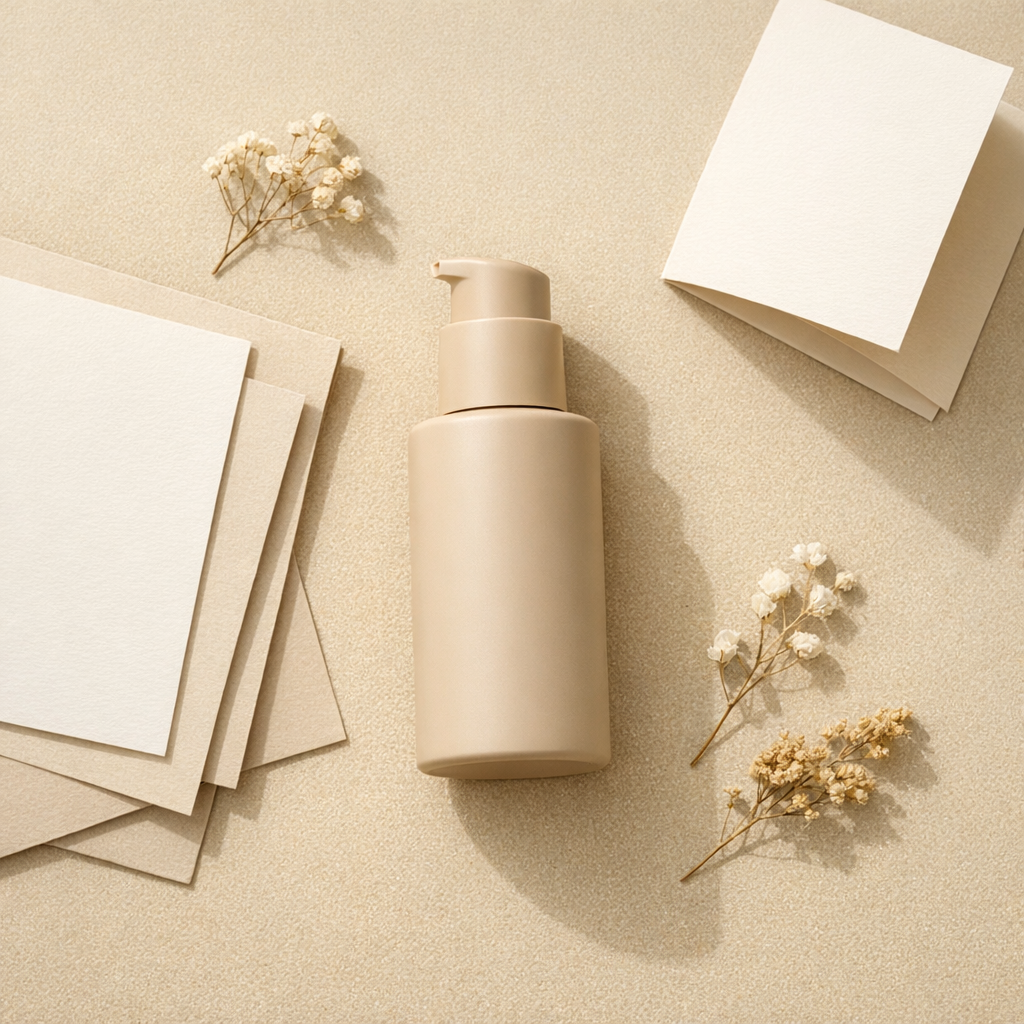
Packaging product
Packaging product
Prompt Draft

A skincare packaging set on an off-white surface, soft natural daylight, disciplined negative space, crisp paper box and glass bottle materials, restrained brand photography, and a premium ecommerce composition.

JSON
{
  "subject": "A grouped arrangement of pale cartons and glass skincare bottles",
  "scene": "Minimal ecommerce-style flat lay on a soft off-white surface",
  "lighting": "Even natural daylight with clean, lightweight shadow falloff",
  "style": "Restrained brand photography with a modern premium packaging mood"
}
Reference image
03
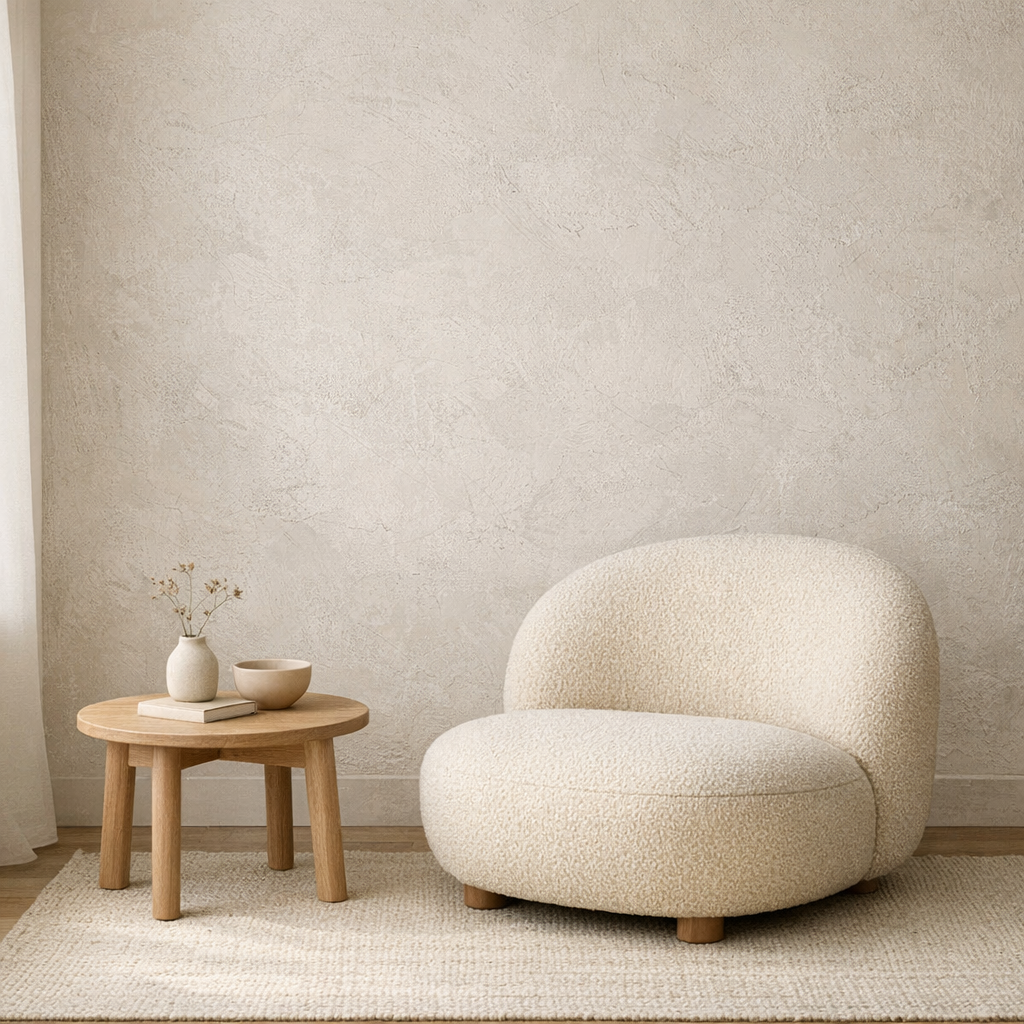
Interior mood board
Interior mood board
Prompt Example

Calm neutral interior with textured plaster wall, rounded lounge chair, light wood side table, soft daylight from the left, quiet editorial styling, minimal lifestyle composition.

JSON
{
  "subject": "rounded boucle lounge chair with side table",
  "scene": "minimal interior with textured plaster wall",
  "lighting": "soft natural daylight from the left",
  "style": ["editorial interior", "warm neutral palette"],
  "composition": "clean wide frame with negative space"
}
What Our Users Say

People use it when they need a prompt they can actually work with

120k+
Prompts generated
30+
Countries
4.8/5
User rating
99.9%
Uptime

I use it to turn product references into first-draft prompts, then refine the lighting and material language instead of starting from a blank page.

Emma Carter
Emma Carter
Product marketer

The structured view is the useful part. It separates subject, style, shot logic, and atmosphere so I can rewrite one layer without losing the whole idea.

Leo Park
Leo Park
Creative technologist

We use it as the front door for prompt work. One image comes in, then the team decides whether to keep the direct prompt, inspect the structure, or refine it further.

Sofia Nguyen
Sofia Nguyen
Design lead
Pricing

Simple pricing that scales with your work

Start free, upgrade when you need more generations. Subscribe for recurring credits, or buy credit packs whenever you need a boost.

MonthlyYearlySave 30%
Free

Try every tool with starter credits.

$0
  • 10 credits to start
  • Image to Prompt
  • Text to Prompt
  • Standard quality models
Start for Free
Lite

For hobbyists and light creators.

$9/ month
  • 300 credits per month
  • All prompt tools unlocked
  • Commercial usage rights
  • Faster generation queue
Get Lite
Popular
Pro

For professional designers and teams.

$19/ month
  • 1,000 credits per month
  • All prompt tools + batch processing
  • Priority generation queue
  • Premium models (high-fidelity)
  • 50% off additional credit packs
Upgrade to Pro
Ultimate

For agencies and power users.

$39/ month
  • Unlimited generations
  • API access for automation
  • Dedicated support
  • Early access to new features
  • 50% off additional credit packs
Go Ultimate
All paid plans include commercial usage rights, priority processing, and access to the full prompt workbench.

From image to reusable prompt in three steps

The homepage flow is simple on purpose: upload, inspect, and reuse.

01

Upload or paste a reference image

Drag and drop, click to browse, or paste an image URL. The workbench starts with the image because that is the fastest way to recover prompt detail.

02

Inspect the output style that fits your workflow

Start with the direct prompt, then switch to a more narrative rewrite, a denser attribute-led version, or JSON when you need more control.

03

Copy, refine, or browse more prompts

Take the prompt as-is, copy it, or launch image/video generation directly from the result panel when you are ready to move beyond drafting.

Start for Free

Stop writing prompts from scratch

Upload your first reference image and leave with a prompt you would actually ship. Free credits included.

Keep going from here

Continue from the main entry points.

Frequently Asked Questions

Short answers to the questions users usually ask before trying image to prompt for the first time.

An image to prompt generator analyzes a reference image and turns its subject, scene, style, lighting, and composition into a reusable text prompt you can copy, edit, and reuse.